Navigating Japan Without Japanese: Communication, Translation Tools, and Systems That Actually Work
Japan does not require Japanese. Here are the translation apps, offline tools, and workarounds that actually work in konbini, clinics, and stations.
Japan in 2026 is a contradiction. It’s a deeply Japanese-speaking society where most people you interact with won’t speak English — but it’s also a country that has spent the last five years deploying AI translation screens, multilingual transit systems, and automated everything. You don’t need to speak Japanese to navigate it. You need the right tools, a handful of phrases, and an understanding of how things actually work on the ground.
Let’s kill two myths right now. “Everyone speaks English in Japan” — false, especially outside central Tokyo and Osaka. “You need to learn Japanese before going” — also false. The real answer is somewhere in between: a few key apps, some visual literacy, and five memorized phrases will get you through 95% of situations.
Getting Connected: eSIM vs. Pocket WiFi
Everything in this article — translation apps, transit routing, digital payments — dies without mobile data. Your phone is your lifeline. Getting connected before you land is step one.
What Your Canadian Plan Actually Costs in Japan
Rogers, Bell, and Telus charge $12–16 CAD per day for international roaming. On a two-week trip, that’s over $200 just for data — and the plans aren’t flexible. They trigger the moment you use a single byte abroad. You keep your Canadian number for texts and two-factor auth, but the cost makes zero sense for heavy data use like real-time translation and map routing.
For the full cost breakdown of Canadian carrier roaming vs. eSIM in Japan, including per-GB math and real-world speed tests, see Japan eSIM vs. Canadian Roaming: The Real Cost Comparison.
Why eSIM Is the Move
An eSIM lets you download a digital profile and connect to local Japanese networks — NTT Docomo, SoftBank, or KDDI — at a fraction of carrier roaming costs. Your phone needs to be unlocked, but that’s it.
| Provider | Cost (20GB / 30 Days) | Details |
|---|---|---|
| Airalo | ~$25 USD | SoftBank / KDDI network. Best value with reliable urban coverage. Customer service can be slow, occasional latency from routing. |
| Ubigi | ~$19 USD | NTT Docomo network — Japan’s largest. Best rural and Shinkansen coverage. Worth the premium if you’re going off the beaten path. |
| Holafly | ~$60+ USD | Multiple networks. Advertises “unlimited” data but throttles heavy users under fair-use policies. Expensive for what you get. |
| Saily | Varies by package | Varies by network. Backed by Nord Security with solid reliability and built-in malicious URL blocking. |
I tested Airalo across three separate trips — urban Tokyo, rural Tohoku, and the Shinkansen corridor between Shin-Osaka and Hiroshima. At $25 USD for 20GB over 30 days, it consistently delivered reliable coverage where it mattered: real-time translation, transit routing, and payment authentication. The SoftBank backbone held up in subway stations where other providers dropped.
For Canadian travelers paying $12-16/day on Big Three roaming, the math is not close. Compare current Airalo Japan eSIM plans and pricing.
Pro tip: buy, download, and configure your eSIM while still on your home WiFi in Canada. When you land at Narita or Haneda, activate instantly — no queuing at SIM kiosks or hunting for airport WiFi.
Translation Apps That Actually Work
AI translation has come a long way since the early 2020s. But no single app handles every situation. Here’s what works and where each one breaks.
Google Translate: Great for Menus, Bad for Conversation
Google Translate’s camera mode (Lens) is your go-to for reading menus, train signs, and packaging. Point your phone, get an instant English overlay. It’s fast and mostly accurate for printed text.
Where it fails:
- Stylized calligraphy: Brush-stroke fonts on izakaya signs, sake labels, and high-end sushi menus break the OCR. You’ll get gibberish or a blank screen.
- Vertical text: Traditional top-to-bottom Japanese still trips up the algorithm. It mixes words from adjacent columns.
- Literal translations: It’ll translate “Oyakodon” as “Parent and Child Bowl” instead of telling you it’s chicken and egg over rice.
For offline backup, Waygo handles Asian characters without data and works well in basement restaurants and rural dead zones. Yomiwa excels at individual kanji lookup when Google Lens chokes on a stylized character.
Papago: The One You Actually Want for Talking to People
When you need to speak to a pharmacist, explain an allergy to a chef, or talk to a rural innkeeper — use Papago, not Google Translate. Built by Naver (South Korea), it’s optimized for East Asian languages and handles Japanese honorifics, idioms, and politeness levels that Google completely flattens.
Google’s conversation mode requires holding a phone between two people in a noisy environment while the mic picks up every announcement in the station. Papago preserves the correct level of formality (keigo) that Japanese service interactions demand. For anything beyond pointing at a menu, Papago is the app.
Apple Translate: Solid Backup
Apple’s native Translate has improved significantly under Apple Intelligence. System-wide translation of texts, FaceTime audio, and on-screen text without opening a separate app. Great offline capabilities. But it still trails Papago on Japanese nuance. Use it as a backup, not your primary.
Translation Screens at Train Stations
A welcome 2026 development: transparent translation screens (VoiceBiz UCDisplay by Toppan Inc.) are showing up at stationmaster booths in major hubs. You speak English on your side, Japanese text appears on the staff’s side, and vice versa. No phone juggling, you maintain eye contact, and it translates directly between languages without routing through English as a middleman. Look for these at Toei Subway Oedo Line stations and Seibu-Shinjuku.
Navigating Trains Without Losing Your Mind
Tokyo’s rail network is the densest on the planet. Multiple competing railway companies, layered subway systems, and stations that span city blocks. You won’t memorize it. You’ll route it algorithmically.
Google Maps: Good Enough (Mostly)
Google Maps in 2026 shows platform numbers, which train car to board for optimal transfers, and last-train schedules. It’s reliable for most trips. Its weak spots: occasionally miscalculates fares on routes crossing competing private railways, and offline transit routing is basically useless — you need live data.
Navitime and Yahoo Transit: When You Need Precision
Japan Travel by NAVITIME is built for foreign tourists. Its killer feature: a JR Pass mode that filters out trains your pass doesn’t cover (Nozomi and Mizuho Shinkansen), so you don’t accidentally board a train that costs an extra $100. It also works offline for WiFi hotspot searches and reroutes you instantly when a line goes down.
Yahoo Transit Japan is what locals use. It factors in the actual walking time inside massive stations — like the brutal 15-minute underground transfer between JR Yamanote and Keiyo lines at Tokyo Station that Google Maps consistently underestimates. It’s in Japanese, but browser translation handles the interface.
Understanding the Railway System
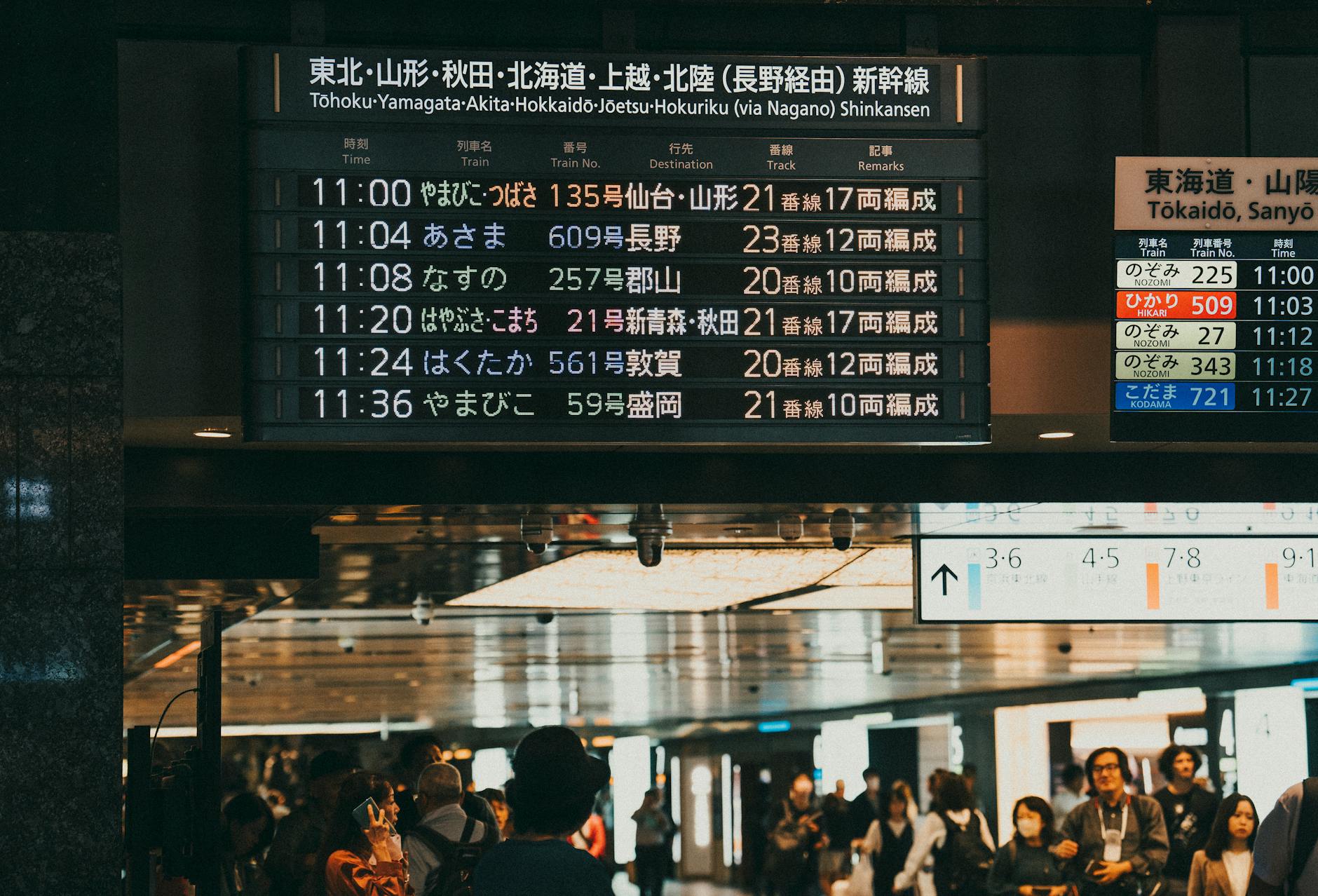
Japan’s trains aren’t one system. Three layers:
- JR (Japan Railways): Shinkansen bullet trains and major urban lines like Tokyo’s Yamanote Line. Near-universal English signage.
- Subways (Tokyo Metro & Toei): Inner-city networks with aggressive multilingual signage. Every station has an alphanumeric code (Shinjuku on Marunouchi = M-08). Follow the letter and number — no Japanese reading required.
- Private railways (Odakyu, Keio, Kintetsu, Hankyu): Connect cities to suburbs and tourist destinations. Major stations have English; smaller suburban stops often don’t.
Where English Works and Where It Doesn’t
Set your expectations by location:
- English flows easily: International hotels (4-star+), major transit hubs, airport terminals, Roppongi, Ginza.
- Scripted interactions (just nod): Convenience stores, fast food, budget hotels. Staff follow scripts: “Do you need a bag?” “Do you want this heated?” “Point card?” Don’t attempt complex English — just nod, shake your head, or point. You’ll move faster.
- Zero English — bring your apps: Taxis, rural ryokans, neighborhood clinics, local restaurants, deep suburbs. Taxi drivers want a Google Maps pin or a business card with the address, not your attempt at pronouncing Japanese street names.
Katakana: The Script You Can Actually Read
Japanese uses three scripts. The one useful to you: Katakana, the angular characters used for foreign loanwords. Sound them out phonetically and you’ll often recognize the English word underneath.
| Katakana | Pronunciation & Meaning |
|---|---|
| トイレ | To-i-re — Toilet / Restroom |
| ホテル | Ho-te-ru — Hotel |
| タクシー | Ta-ku-shi-i — Taxi |
| コンビニ | Kon-bi-ni — Convenience Store |
| バス | Ba-su — Bus |
| ビール | Bi-i-ru — Beer |
| エレベーター | E-re-be-e-ta-a — Elevator |
Ordering Food Without Speaking Japanese
Japan’s restaurant industry is automating fast — labor shortages are replacing waitstaff with machines. Good news for you: it means less talking.
Ticket Machines (Shokkenki)
Ramen shops, beef bowl chains, and standing soba counters use ticket machines at the entrance. Insert cash or tap an IC card, press your item, take the ticket, hand it to staff. If the machine is Japanese-only and Google Lens can’t read the stylized text — press the top-left button. It’s almost always the house specialty. Safe bet every time.
Tablet and QR Code Ordering
Chain restaurants (family restaurants, yakiniku, conveyor belt sushi) have multilingual tablets at the table. Switch to English, browse photos, customize your order, track your bill. Zero conversation needed.
The 2026 trend: QR code ordering on your own phone. Scan a code, order through a web interface. The catch — it relies on your phone’s browser to auto-translate, and Japanese food terms often produce bizarre results. Cross-reference with photos when available.
Plastic Food Displays and Pointing
No tablet, no English menu? Look for the glass cases outside the restaurant filled with hyper-realistic plastic food models (sampuru). Walk the server outside, point to the ramen, hold up one finger. Totally normal, no one will bat an eye.
Izakaya: What You Need to Know
- The otoshi (table charge): A small appetizer arrives unprompted — edamame, pickled vegetables, whatever. It’s not a mistake. It’s a mandatory cover charge (¥300–500/person) that replaces tipping. You can’t refuse it. Don’t try.
- Getting attention: Shout “Sumimasen!” to call the waiter. Waiting politely for eye contact like you would in Canada means you’ll never get served.
- The bill: Cross your index fingers into an X shape — universal sign for “check, please.” Pay at the register by the door, not at the table.
For travelers who want the izakaya experience without the navigational stress of deciphering handwritten menus and managing the otoshi protocol solo, guided food tours with English-speaking hosts eliminate the barrier entirely. The guide handles ordering, explains each dish, and navigates the cultural choreography — leaving the traveler to focus on the food.
Tokyo has a growing roster of these experiences, from backstreet yakitori crawls in Yurakucho to standing-bar sake tastings in Shimbashi. Browse guided food experiences in Tokyo on Rakuten Travel Experiences.
When Things Go Wrong: Emergencies and Healthcare
Medical Emergencies
Dial 119. The dispatcher asks “Kaji desu ka? Kyūkyū desu ka?” (Fire or medical?). Say “Kyūkyū desu” then “English, please.” They’ll patch in a medical interpreter for a three-way call and route you to a JMIP-accredited hospital with English-capable staff and translated consent forms.
For non-emergencies (bad food poisoning, high fever), dial #7119 for medical advice. Or use telemedicine platforms like Hotel de Doctor 24 — 24/7 English video consultations, digital prescriptions to nearby pharmacies, and medical certificates for insurance claims.
Important: pay all hospital bills before leaving Japan. The government tracks unpaid foreign medical debts and will deny you entry on future visits.
For a breakdown of Canadian travel insurance gaps — including the secondary payer trap on credit card policies — see The Canada-Japan Travel Insurance Guide.
This is where the conversation shifts from language tools to financial exposure. Japanese hospital bills for foreign tourists are settled in full at the point of care — no provincial health plan from Canada covers a single yen abroad. A standard ER visit with imaging can run ¥200,000-400,000 ($1,800-3,600 CAD).
An ambulance ride to a JMIP hospital, overnight observation, and follow-up consult can exceed ¥1,000,000. The telemedicine platforms mentioned above help with minor ailments, but for anything requiring physical treatment, you need coverage that pays the hospital directly.
Sacraw is a Canadian underwriter that covers medical evacuation, hospital bills, and trip interruption specific to the Japan corridor. Provincial health coverage stops at the border. Get a Sacraw quote for your Japan trip.
Lost Something? Head to a Koban
Japan’s neighborhood police boxes (koban) handle lost items. Officers rarely speak English but carry multi-language translation tablets and pictogram boards. Say “Pasupooto o nakushimashita” (I lost my passport) or “Saifu o nakushimashita” (I lost my wallet) and they’ll take it from there.
Hotel Check-In Is Mostly Automated Now
Mid-range business hotels (APA, Dormy Inn, Toyoko Inn) use self-check-in kiosks with English interfaces. Scan your passport, enter your reservation number, tap to pay, grab your room key. No conversation required.
The Only Five Phrases You Need
Forget fifty-phrase phrasebooks. Under travel stress, you won’t remember them — and a mispronounced sentence gets you a rapid Japanese reply you can’t understand. These five handle the vast majority of interactions:
| Phrase | When & How to Use It |
|---|---|
| Sumimasen Soo-mee-mah-sen | Excuse me / Sorry. Call a waiter, apologize on a crowded train, get someone’s attention. |
| Arigatou gozaimasu Ah-ree-gah-toh go-zah-ee-mas | Thank you very much. Use after any service: receiving change, finishing a meal, checking out. |
| Onegaishimasu Oh-nay-guy-shee-mas | Please. Point at anything and add this. |
| Doko desu ka? Doh-koh des-kah? | Where is…? “Toire (toilet) wa doko desu ka?” “Eki (station) wa doko desu ka?” |
| Okaikei Oh-kye-kay | The bill. Use in restaurants and izakayas to initiate the payment sequence. |
Pronunciation tip: Japanese is flat and phonetic. Don’t bounce syllables like English. Keep vowels constant: A (ah), I (ee), U (oo), E (eh), O (oh). Smooth and mechanical beats dramatic and expressive.
What’s Changed in 2026
Digital Suica: Tap and Go
Physical IC transit cards faced shortages for years. In 2026, JR East’s “Suica Renaissance” is pushing everything to digital — cloud-based cards, phone-based tapping, and upcoming walk-through gates that charge you via Bluetooth without breaking stride. Load a digital Suica or Pasmo into Apple Wallet or Google Wallet before your flight. Skip the ticket machines entirely.
For a complete analysis of JR Pass vs. regional passes and the math on which saves money for specific itineraries, see JR Pass and Regional Passes in 2026.
If the digital Suica setup feels like too many variables — and for first-time visitors to Japan, it absolutely can — a pre-purchased Tokyo Subway Ticket simplifies the equation. It covers unlimited rides on Tokyo Metro and Toei Subway lines for 24, 48, or 72 hours.
No fare calculations, no balance anxiety, no fumbling at top-up machines with Japanese-only interfaces.
Automated Immigration: JESTA
Japan’s new electronic travel authorization (JESTA, modeled after the US ESTA) means Canadian travelers complete screening online before boarding. At the airport, you use integrated kiosks — passport scan, fingerprints, facial recognition — and walk through an automated gate. No immigration officer, no language stress on arrival.
Tax-Free Shopping Overhaul
The old system — show your passport, get 10% off at the register — is gone. Resale fraud killed it. In late 2026, you pay full price including consumption tax, then claim the refund at airport kiosks on departure. Budget accordingly.
The Pre-Departure Checklist
Navigating Japan without Japanese is systems management. The tools exist and they’re mature. The question is whether you set them up before you land or scramble at Narita with jet lag and a dead phone.
- Secure eSIM connectivity before you leave Canada. Download and configure while on home Wi-Fi. Real-time translation, transit routing, and digital payment all collapse without data. Check current Airalo Japan eSIM plans.
- Pre-purchase transit passes. A Tokyo Subway Ticket or IC card loaded into Apple Wallet eliminates language friction at every ticket gate and vending machine.
- Download Papago, Google Translate (offline Japanese pack), and Navitime. These three applications handle 90% of on-the-ground communication and navigation. Free, no affiliate angle — just install them.
- Book at least one guided experience for your first 48 hours. A food tour or cultural experience with an English-speaking host eases the transition while you calibrate to the environment. Browse guided experiences on Rakuten Travel Experiences.
- Verify your travel insurance covers Japan medical costs. Provincial health plans do not apply abroad. A single ER visit can exceed $3,000 CAD. If you are traveling on a Canadian passport, get a Sacraw quote before you book anything else.
Master the five phrases. Learn to spot Katakana. Let the automated systems — biometric immigration, self-check-in kiosks, QR menus — do the heavy lifting. The language barrier in Japan is real, but in 2026, the tools to get around it are better than they’ve ever been.
A few words go a long way here. If you want to travel with more than a phrasebook, learn enough Japanese to travel confidently with Tabiji Academy